shijimi-editor

An IDE that lives in your terminal

shijimi-editor puts a file tree, tabs, LSP, a diff view and a terminal panel on one screen, laid out like VS Code. Edit with Helix-style modal keys or with VS Code-style keys. The command is shj.

Review changes as whole files

Space G (or Ctrl+G) switches the whole editor to diff mode against HEAD. Space g compares with the base of a pull request.

  • Changed files are listed in CHANGES
  • A changed file opens as the whole file, split or unified
  • The right side is editable, so you can fix things while you review
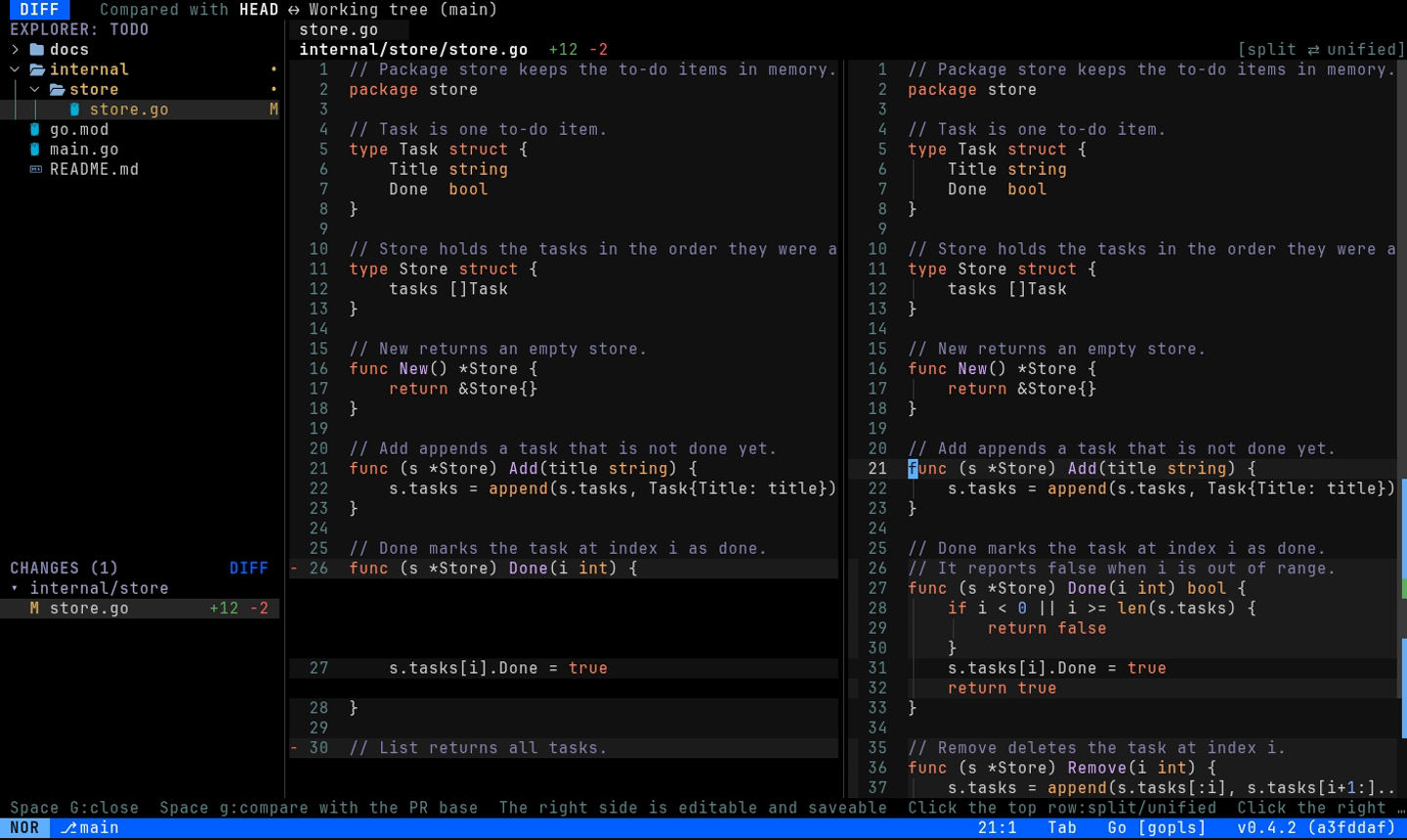
Diff mode: the file before the change on the left and after the change on the right

LSP out of the box

Diagnostics, completion, hover, go to definition, references, rename, code actions and formatting. gopls, rust-analyzer, typescript-language-server and others are set up by default.

  • Configured with a languages.toml that is compatible with Helix's
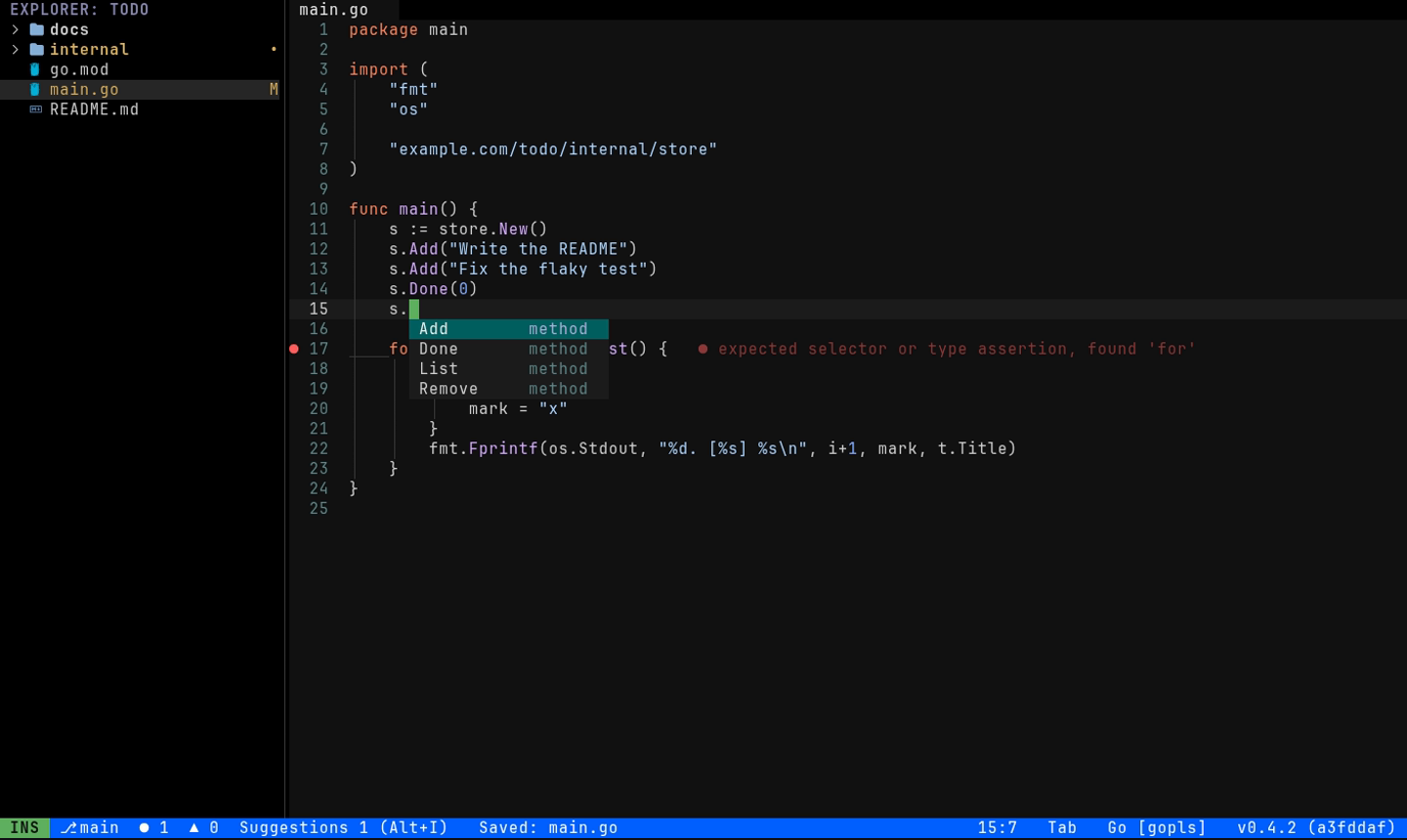
The completion menu listing the methods of a Go struct, and a diagnostic shown at the end of a line

Markdown preview beside the source

Space m shows the rendered Markdown next to the buffer you are editing. Press it again to show only the preview.

  • Headings, lists, tables, code and quotes
  • Mermaid code blocks are drawn as diagrams
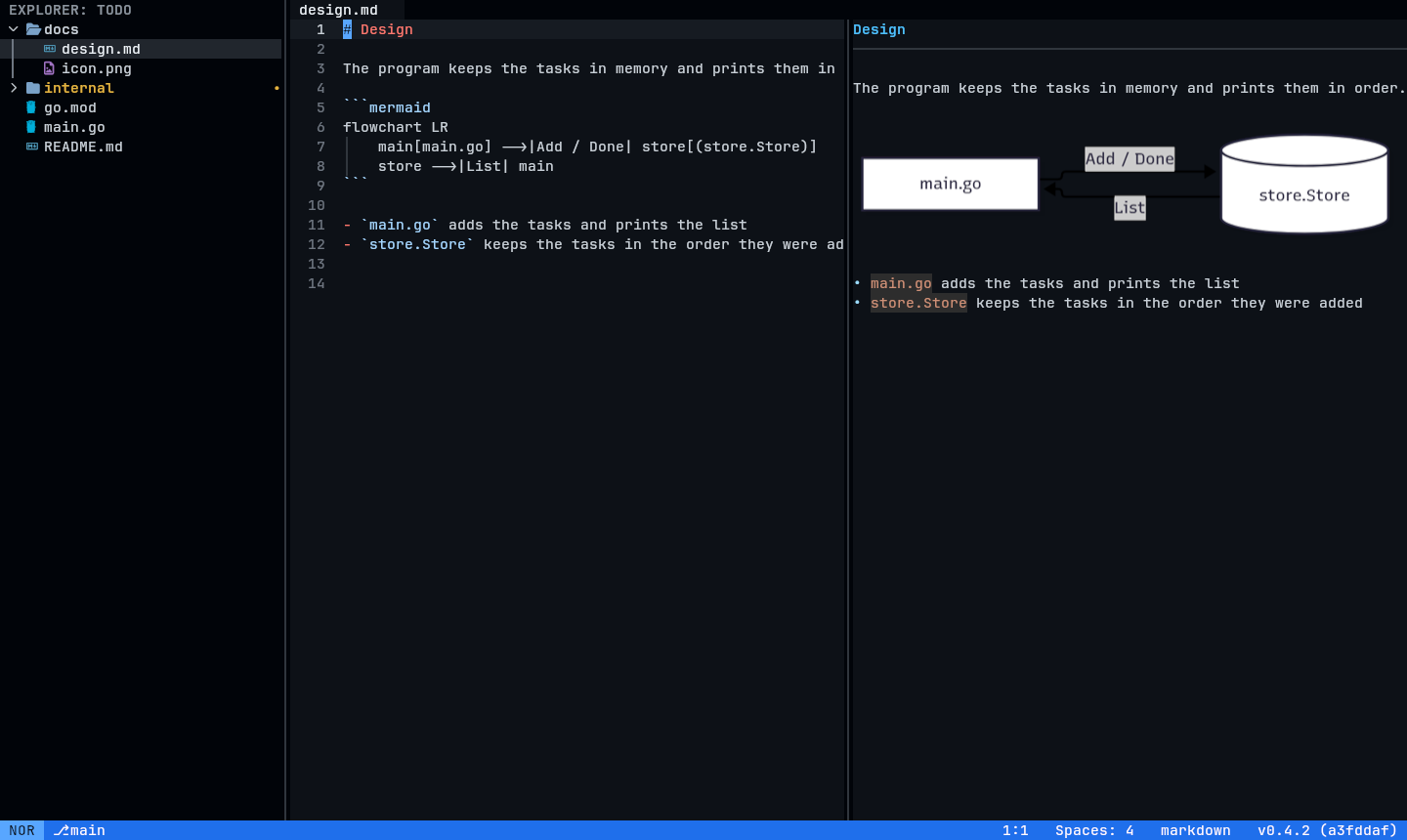
A Markdown file on the left and its preview on the right, with a mermaid flowchart drawn as a diagram

Images open in a tab

Open an image file from the file tree or Quick Open, and it is shown as an image, not as bytes.

  • PNG, JPEG, GIF, BMP, WebP and TIFF
  • Images and mermaid diagrams need a terminal with the Kitty graphics protocol, such as Kitty, Ghostty or WezTerm
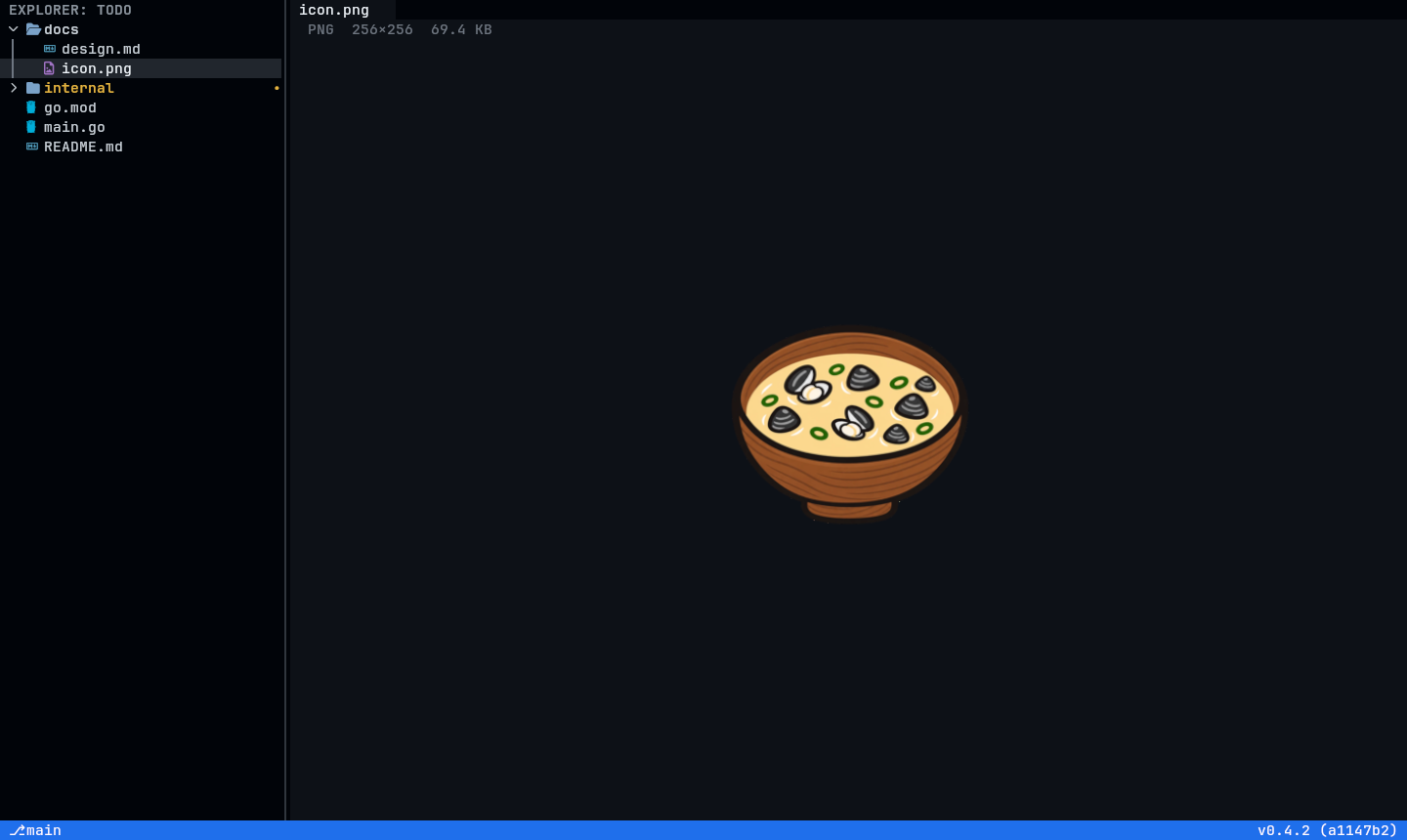
A PNG file opened in a tab and shown as an image

A terminal panel at the bottom

Ctrl+` opens a terminal under the editor. Run tests and servers without leaving the editor.

  • Claude Code running there can read your selection and send you changes as diffs to approve
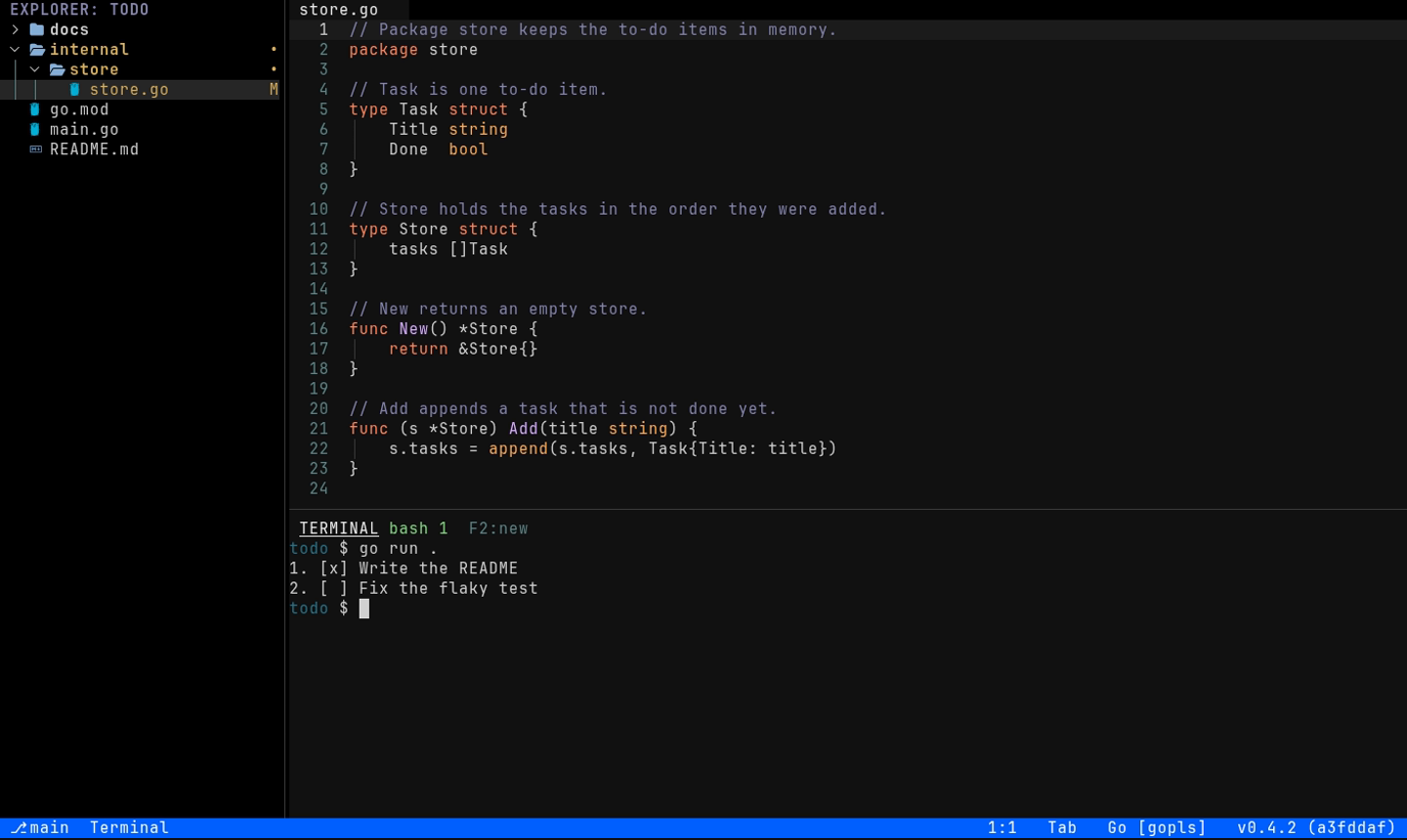
The terminal panel under the editor, showing the output of go run

And more

Two ways to edit

Helix-style normal / insert / select modes with multiple cursors, or modeless VS Code-style keys.

Find anything

Quick Open, a command palette and search and replace across the whole project.

Suggestions panel

Suggests the next step from git, LSP and the terminal, and asks an agent over ACP when you pick one.

File tree with Git status

Modified, untracked and added files are marked in the tree.

Single-file mode

shj file opens just that file and exits on :wq, so it works as your $EDITOR.

English and Japanese

The UI and the manual are available in both languages.

Install

nix run github:mm1995tk/shijimi-editor/release   # run it right away
nix profile install github:mm1995tk/shijimi-editor/release
go install github.com/mm1995tk/shijimi-editor/cmd/shj@latest
npm install -g shijimi-editor   # Linux and macOS

Then run shj in your project. See Installation and startup in the manual for details.